
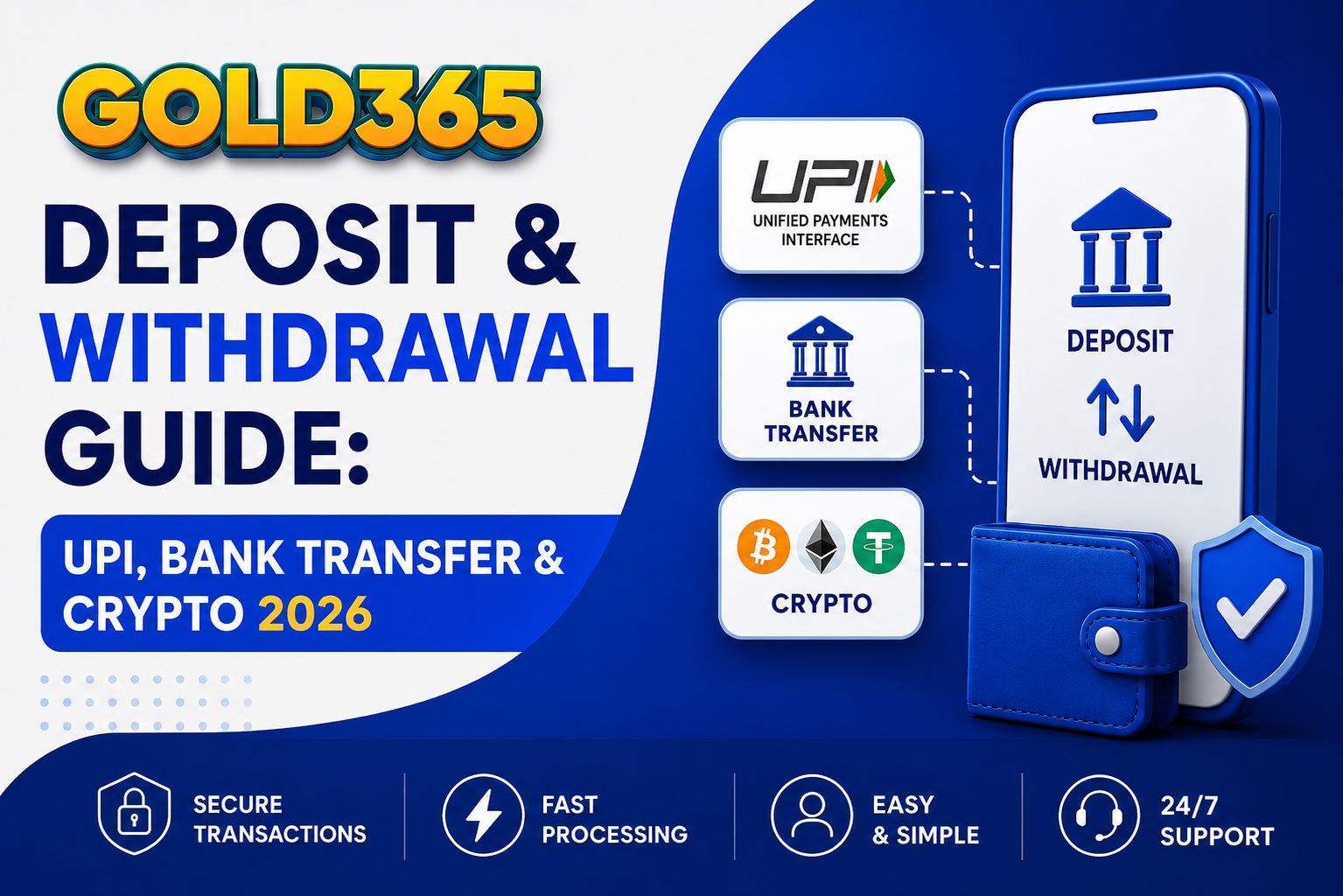
01Gold365 Supported Payment Methods Complete Overview
Gold365 supports a wider range of Indian payment methods than almost any other online betting platform. Every method listed below is fully supported for both deposits and withdrawals. Here is a complete summary before we go into each in detail:
| Payment Method | Deposit Speed | Withdrawal Speed | Min Deposit | Fees |
|---|---|---|---|---|
| UPI (GPay, PhonePe, Paytm) | Instant | 530 minutes | ₹100 | Zero |
| IMPS Bank Transfer | Instant | 30120 minutes | ₹500 | Zero |
| NEFT Bank Transfer | Within minutes (banking hours) | 24 hours | ₹500 | Zero |
| Bitcoin (BTC) | After 1 confirmation | 1030 minutes | ₹500 equivalent | Network fee only |
| Ethereum (ETH) | After 1 confirmation | 515 minutes | ₹500 equivalent | Network fee only |
| USDT (TRC-20 / ERC-20) | After confirmation | 515 minutes | ₹500 equivalent | Network fee only |
| E-Wallets | Instant | 1560 minutes | Varies | Zero (Gold365 side) |
02How to Deposit on Gold365 via UPI Complete Step-by-Step
UPI is the most popular and most convenient deposit method for Indian Gold365 users. It works with every major UPI-enabled app including Google Pay, PhonePe, Paytm, BHIM, and your bank's own UPI interface. Deposits via UPI are credited to your Gold365 wallet instantly there is no waiting, no delay, and no hidden charges.
- 01Step 1 Log In to Gold365 and Open the Deposit SectionLog in to your Gold365 account via the official website on any browser. From the main navigation or home screen, tap or click on 'Wallet' or 'Deposit'. You will see all available payment options listed here. Select UPI as your preferred method.
- 02Step 2 Enter the Amount You Want to DepositType in the exact amount you wish to deposit. The minimum UPI deposit on Gold365 is ₹100. There is no upper limit set by Gold365 however, your bank's UPI app may have its own daily transaction limit (typically ₹1,00,000 per day on Google Pay and PhonePe). For amounts above your UPI daily limit, use IMPS or NEFT bank transfer instead.
- 03Step 3 Copy or Note the Gold365 UPI DetailsGold365 will display a UPI ID or QR code for the payment. This is the account you send the money to. Note that Gold365 uses dedicated payment accounts the UPI ID may be different for each transaction. Always use the UPI details provided in the current session, not details saved from a previous deposit.
- 04Step 4 Complete the Payment in Your UPI AppOpen your UPI app (Google Pay, PhonePe, Paytm, etc.) and initiate a new payment. Enter or scan the Gold365 UPI ID, enter the exact deposit amount, and confirm with your UPI PIN. Once the payment is processed, your UPI app will show a success screen and a 12-digit UTR (Unique Transaction Reference) number. Note this UTR number you will need it if the deposit does not appear automatically.
- 05Step 5 Confirm the Deposit in Your Gold365 WalletReturn to Gold365. Your wallet balance should update within seconds of the UPI payment completing. If your balance has not updated after 5 minutes, do not make a second payment. Instead, go to the next step.
- 06Step 6 Manually Submit Your UTR if NeededIf your deposit is not automatically credited within 1015 minutes, contact Gold365 support via WhatsApp. Share your Gold365 ID, the UTR number from your UPI app, the exact deposit amount, and the time of the transaction. The Gold365 payments team will manually verify and credit your deposit this typically takes 1530 minutes during business hours.
UTR stands for Unique Transaction Reference. Every UPI, IMPS, and NEFT payment generates a unique 12-digit UTR number that identifies your specific transaction. If your deposit is ever delayed, the UTR is the reference Gold365's payments team needs to locate and manually credit your payment. Always save the UTR for every Gold365 deposit until you confirm the balance has been credited.
03How to Deposit via IMPS and NEFT Bank Transfer
Bank transfers via IMPS (Immediate Payment Service) or NEFT are ideal for larger deposits or users who prefer to transact directly from their bank account without using a UPI app. Both methods are fully supported on Gold365 and carry zero fees on the Gold365 side.
IMPS (Immediate Payment Service) is available 24 hours a day, 7 days a week, including weekends and public holidays. Transfers via IMPS are processed by the banking system within seconds to minutes. IMPS transfers up to ₹5,00,000 per day are supported by most Indian banks.
NEFT (National Electronic Funds Transfer) processes payments in settlement batches. NEFT operates 24/7 since December 2019 and transfers complete within 30 minutes during banking hours. For large amounts above your IMPS limit, NEFT is the best alternative.
- 01Request Gold365 Bank Account DetailsContact Gold365 support via WhatsApp and request the current IMPS/NEFT bank account details account name, account number, IFSC code, and bank name. Gold365 uses dedicated accounts for deposits and the details may change periodically, so always request fresh details before every bank transfer rather than reusing saved details.
- 02Initiate the Transfer from Your Bank App or Net BankingLog in to your bank app or net banking portal. Add Gold365's account details as a new payee or use the pay to account option directly. Enter the exact deposit amount and initiate the IMPS or NEFT transfer. Your bank will provide a transaction reference number (UTR) immediately after the transfer is initiated.
- 03Share the Transfer Reference with Gold365Send the UTR/transaction reference number to Gold365 support via WhatsApp along with your Gold365 ID and deposit amount. This manual confirmation step is required for bank transfers. The Gold365 payments team will verify and credit your deposit as soon as the funds clear typically within 3060 minutes for IMPS and 13 hours for NEFT.
04How to Deposit Cryptocurrency on Gold365 Bitcoin, Ethereum, and USDT
Cryptocurrency is the fastest, most private, and most flexible deposit method available on Gold365. Bitcoin (BTC), Ethereum (ETH), and Tether (USDT both TRC-20 and ERC-20 networks) are all fully supported. Crypto deposits are credited in INR equivalent at the current exchange rate at the time of deposit.
Depositing crypto on Gold365 is ideal for users who hold existing crypto balances, value financial privacy, or want to make large deposits without UPI or bank transfer limits. There are no Gold365-side fees on crypto deposits you only pay the standard blockchain network fee (gas fee), which is typically small.
- 01Request Your Gold365 Crypto Deposit AddressContact Gold365 support via WhatsApp and request a deposit address for your preferred cryptocurrency (BTC, ETH, USDT-TRC20, or USDT-ERC20). Gold365 generates a unique deposit address for each transaction. Always use a freshly requested address do not reuse a previously used Gold365 crypto address.
- 02Send Crypto from Your Wallet or ExchangeIn your crypto wallet or exchange (WazirX, CoinDCX, Binance, etc.), initiate a withdrawal or send to the Gold365 deposit address. Double-check the address and the network (ensure you are sending USDT-TRC20 to the TRC-20 address, not the ERC-20 address mixing networks results in permanent loss of funds). Enter the exact amount and confirm the transaction.
- 03Wait for Blockchain Confirmation and INR CreditOnce your transaction is broadcast to the blockchain, Gold365 monitors for the confirmation. Typically one confirmation is sufficient. After confirmation, Gold365 converts the received crypto to INR at the live exchange rate and credits your wallet. The entire process takes 1030 minutes for Bitcoin (1 confirmation) and 515 minutes for Ethereum and USDT.
Sending crypto to the wrong network address (e.g. sending USDT on the ERC-20 network to a TRC-20 address) results in permanent loss of funds that cannot be recovered by Gold365 or anyone else. Always verify both the address AND the network before confirming any crypto withdrawal. When in doubt, send a small test amount first.
05How to Withdraw Your Winnings from Gold365 Complete Guide
Gold365 is consistently rated as the fastest-paying betting platform available to Indian bettors. UPI withdrawals are typically processed within 5 to 30 minutes of the request being made, available 24 hours a day, 7 days a week including weekends and public holidays. Here is everything you need to know about the Gold365 withdrawal process:
- 01Ensure KYC Verification Is CompleteBefore making your first withdrawal, your Gold365 account must have completed KYC (Know Your Customer) verification. KYC requires submitting a clear photo of one government-issued ID Aadhaar card, PAN card, Voter ID, or Passport via WhatsApp to the Gold365 support team. Most KYC submissions are approved within 1030 minutes. Accounts without completed KYC can deposit and bet, but withdrawal limits apply until KYC is done.
- 02Log In and Navigate to Wallet → WithdrawLog in to Gold365 and go to Wallet in the main navigation. Select Withdraw. You will see your current available balance and all supported withdrawal methods listed. Your available balance for withdrawal is your total wallet balance minus any active bonus balance that has not yet met the wagering requirement.
- 03Enter Withdrawal Amount and DestinationEnter the amount you want to withdraw. For UPI withdrawals, enter your UPI ID (e.g. yourname@okaxis, yourname@ybl, yourname@paytm). For bank transfers, enter your account number and IFSC code. For crypto, enter your wallet address and select the correct network. Ensure all payment details are in your own name Gold365 only processes withdrawals to accounts registered in the name of the Gold365 account holder.
- 04Confirm and Track Your WithdrawalReview and confirm your withdrawal request. You will receive a withdrawal reference number. For UPI withdrawals, funds typically arrive within 530 minutes. For IMPS, within 30120 minutes. For cryptocurrency, within 1030 minutes. You can track the status of your withdrawal in the Wallet section. If it shows 'Processing' after 2 hours, contact Gold365 support with the withdrawal reference number.
06Gold365 Withdrawal Times and Limits Full Reference Table
| Method | Typical Processing Time | Min Withdrawal | Max Withdrawal | Availability |
|---|---|---|---|---|
| UPI (GPay, PhonePe, Paytm) | 530 minutes | ₹200 | No limit (Gold365) | 24/7 |
| IMPS Bank Transfer | 30120 minutes | ₹500 | Bank IMPS limit | 24/7 |
| NEFT Bank Transfer | 14 hours | ₹1,000 | No limit | Banking hours |
| Bitcoin (BTC) | 1030 minutes | ₹1,000 equiv. | No limit | 24/7 |
| Ethereum (ETH) | 520 minutes | ₹1,000 equiv. | No limit | 24/7 |
| USDT (TRC-20) | 515 minutes | ₹500 equiv. | No limit | 24/7 |
07Common Gold365 Payment Problems and Instant Solutions
Even on the most reliable platforms, payments occasionally face delays or issues. Here is a complete troubleshooting guide for every common Gold365 payment problem:
- 01Problem: Deposit Not Showing in My Gold365 WalletDo not make a second payment. First, wait 1015 minutes most UPI deposits that appear delayed auto-credit within this window. If it still has not appeared, collect your payment UTR number from your UPI app's transaction history (Google Pay: 'Your activity' → find the transaction → copy UPI Reference ID). Send the UTR number to Gold365 support via WhatsApp with your Gold365 ID and deposit amount. Manual credit typically takes 1530 minutes.
- 02Problem: Withdrawal Has Been Pending for Over 2 HoursFirst check that your KYC is fully verified incomplete KYC is the most common cause of delayed withdrawals. If KYC is complete, contact Gold365 support via WhatsApp with your Gold365 ID and withdrawal reference number. Weekend and peak match-day withdrawals occasionally take slightly longer, but Gold365 processes them 7 days a week.
- 03Problem: UPI Payment Failed But Money Was Deducted from My Bank AccountThis is a bank-side reversal. When a UPI transaction fails, most banks auto-reverse the deducted amount within 27 business days. If the amount is not reversed within 7 business days, contact your bank with the failed transaction's UTR number and request a formal chargeback. Do not contact Gold365 for failed UPI transactions where money was deducted this is a bank-side issue only.
- 04Problem: My Crypto Deposit Has Not Been Credited After 1 HourFirst, check the transaction status on a blockchain explorer (Blockchain.com for BTC, Etherscan for ETH, Tronscan for TRC-20 USDT). If the transaction has zero confirmations after 30+ minutes, it may be stuck in the mempool due to low fees this resolves on its own over time. If the transaction has 1+ confirmations and is still not credited, contact Gold365 support with your transaction hash (TXID) and Gold365 ID.
- 05Problem: Withdrawal Sent to Wrong UPI IDContact Gold365 support immediately via WhatsApp before attempting any other action. If the withdrawal has not yet been processed, Gold365 may be able to cancel and reprocess it to the correct UPI ID. If the payment has already been sent to the wrong UPI ID, Gold365 will need to coordinate with their payment partner to attempt recovery outcomes depend on whether the receiving UPI account holder cooperates.
Gold365 has been paying out winnings to Indian bettors reliably since 2007 over 18 years without a single verified case of legitimate winnings going unpaid. When you win on Gold365, your winnings are yours. The fastest UPI withdrawals regularly complete within 5 minutes of the request being made.
08Gold365 Deposit and Withdrawal Fees Complete Breakdown
One of the most common questions from new Gold365 users is about fees. The short answer: Gold365 charges zero fees on deposits and withdrawals for all Indian payment methods. Here is the complete breakdown:
UPI Deposits: Zero fee. The full amount you deposit is credited to your Gold365 wallet.
IMPS/NEFT Bank Transfer Deposits: Zero fee on the Gold365 side. Your bank may charge a nominal IMPS/NEFT fee (typically ₹5₹25 depending on your bank and transfer amount) this is a bank-side charge not controlled by Gold365.
UPI Withdrawals: Zero fee. The full amount you request is transferred to your UPI account.
Bank Transfer Withdrawals: Zero fee on Gold365's side. Standard IMPS/NEFT charges from your receiving bank may apply.
Cryptocurrency: Gold365 charges zero fees on crypto deposits or withdrawals. You pay the standard blockchain network fee (gas fee) set by the network itself this is paid to the blockchain validators and not to Gold365. Network fees are typically very small: under ₹50 for USDT TRC-20 and Ethereum, and variable for Bitcoin depending on network congestion.
09Gold365 Payment Security How Your Money Is Protected
All financial transactions on Gold365 are protected by 256-bit SSL encryption the same standard used by HDFC Bank, ICICI Bank, SBI, and all other major Indian financial institutions. This means every payment instruction, account detail, and transaction data transmitted between your device and Gold365's servers is fully encrypted and cannot be intercepted or tampered with.
Gold365 stores all user funds in segregated accounts separate from Gold365's own operational funds. This means your deposited balance is always protected regardless of any operational changes to the company. It is a standard practice for licensed, reputable betting platforms and a key indicator of financial trustworthiness.
Gold365 uses multi-factor verification for all withdrawal requests. When a withdrawal is made to a new payment destination for the first time, an additional verification step may be required to confirm the transaction is legitimate. This protects your funds even in the unlikely event that someone else gains access to your account.
Never share your payment details via unofficial channels. Gold365 support will never ask for your bank account password, UPI PIN, card CVV, or any sensitive financial credentials via WhatsApp or any other channel. If you receive any such request, it is a scam report it to Gold365 immediately.
10Tips for Faster and Smoother Gold365 Payments
- Complete KYC before your first withdrawal: KYC takes 1030 minutes once and unlocks instant withdrawals forever. Do it before you need it not after you have winnings sitting in your wallet.
- Use the same payment method for deposits and withdrawals: Gold365 processes withdrawals most efficiently back to the same method used for deposits. If you deposit via Google Pay, withdraw via the same UPI ID.
- Always save your UTR number: After every deposit, screenshot or copy your UTR number from your UPI app. Keep it until your Gold365 wallet confirms the credit. You will need it if there is any delay.
- Request crypto deposit addresses fresh each time: Never reuse a Gold365 crypto deposit address from a previous session. Always request a fresh address via WhatsApp for each new crypto deposit.
- For large deposits, use IMPS or bank transfer: UPI apps have daily limits (₹1,00,000 typically). For deposits above this amount, use IMPS or NEFT which have much higher limits.
- Withdraw often rather than accumulating large balances: Regular withdrawals mean your winnings are in your bank account rather than sitting on the platform. There is no benefit to keeping large uninvested balances on Gold365.
- Contact support immediately for any payment issue: Gold365's 24/7 WhatsApp support team resolves most payment issues within 3060 minutes. The sooner you contact them, the sooner any issue is resolved.